SteelProQuo is a standalone Windows based computer software program that does not require Excel or other spreadsheet programs to operate. The software, with both Imperial and Metric batabases, is used to compile project take-off information and other associated costs to finalize steel project quotations.
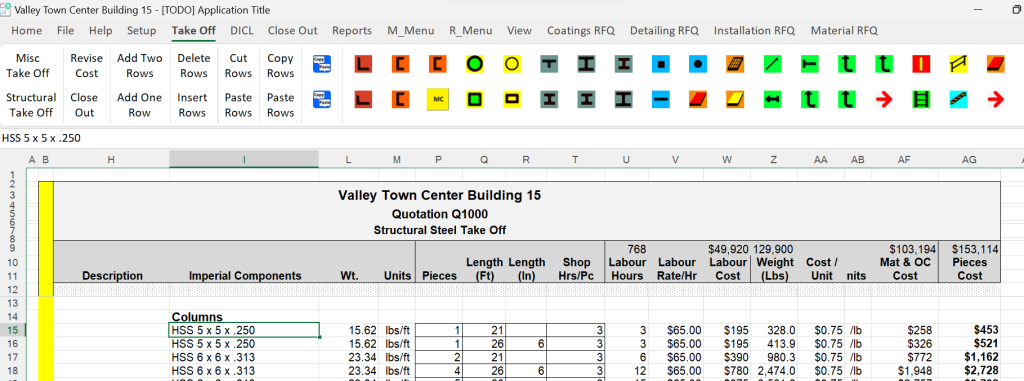
SteelProQuo with Take Off Tab Selected
Navigation to sheets and menus is by Ribbon tabs. In the above example, the estimator has selected the Take Off tab. This opens the Structural Take Off sheet and the Take Off submenu. Steel sections and components are imported using the submenu buttons as well as hot keys. Quantities, lengths and shop hours are entered into the boxed cells. Shop rates and material prices are set on the Default page under the Setup tab and edited elsewhere. This is an important function in producing a tight estimate and is discussed in detail later.
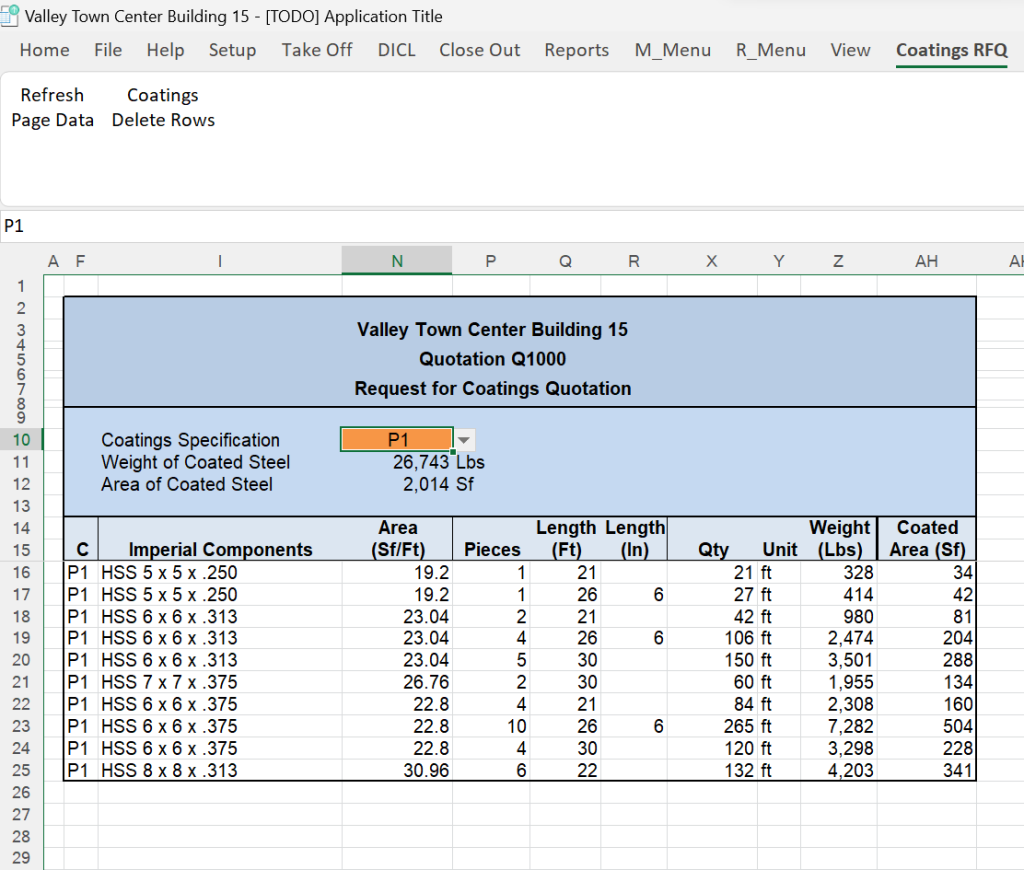
Establishing coating costs is the next step after the take off is complete. Selecting the Coatings_RFQ tab, the Refresh Page Data button and then the Coatings Type button produces the report shown opposite. In this case, report is filtered to coating specification P1. Quantities, lengths, weights and surface areas are automatically displayed. This report along with the paint system specification is sent to the coatings department or specialized coatings company with a request for a quotation. We will later use their quote in our final bid price.